What do I need before I set up a Scorpion Detector?
You need three things: a Detector, the Scorpion Alert app on your phone, and your home's 2.4GHz Wi‑Fi name and password. Setup takes about two minutes per Detector, and the six steps below are the same ones printed on the card that ships in your box.
One requirement causes more failed setups than everything else combined: Scorpion Detectors connect to 2.4GHz Wi‑Fi only, never 5GHz. Your network name (SSID) and password are both case-sensitive, so a single wrong capital letter will stop the Detector from joining.
Run through this before you start:
- Wi‑Fi turned on for your phone
- The Scorpion Alert app installed, with your account signed in
- Your 2.4GHz network name and password written down exactly as they appear
- A first outlet picked out near a doorway, bedroom, or other priority spot
Do Scorpion Detectors work with 5GHz Wi‑Fi?
No. Detectors work on 2.4GHz only. Many modern routers broadcast both bands under a single network name, so your phone may sit on 5GHz without showing any sign of it — and the Detector then has no band it can join.
If your router lists a separate 2.4GHz, IoT, or guest network, use that one during setup. If it shows only one name, see the mesh and band-steering fixes below.
What if I only see one Wi‑Fi name (mesh routers, band steering)?
Mesh systems and routers with band steering hide both bands behind one name. Three router-agnostic fixes work here: split the 2.4GHz and 5GHz bands into separate network names, enable a dedicated IoT network, or switch on a 2.4GHz guest network. Any one of them is enough — pick the easiest on your router and run setup again.
How do I set up a Scorpion Detector, step by step?
Six steps, start to finish. Do them in order, and finish one Detector completely before you start the next.
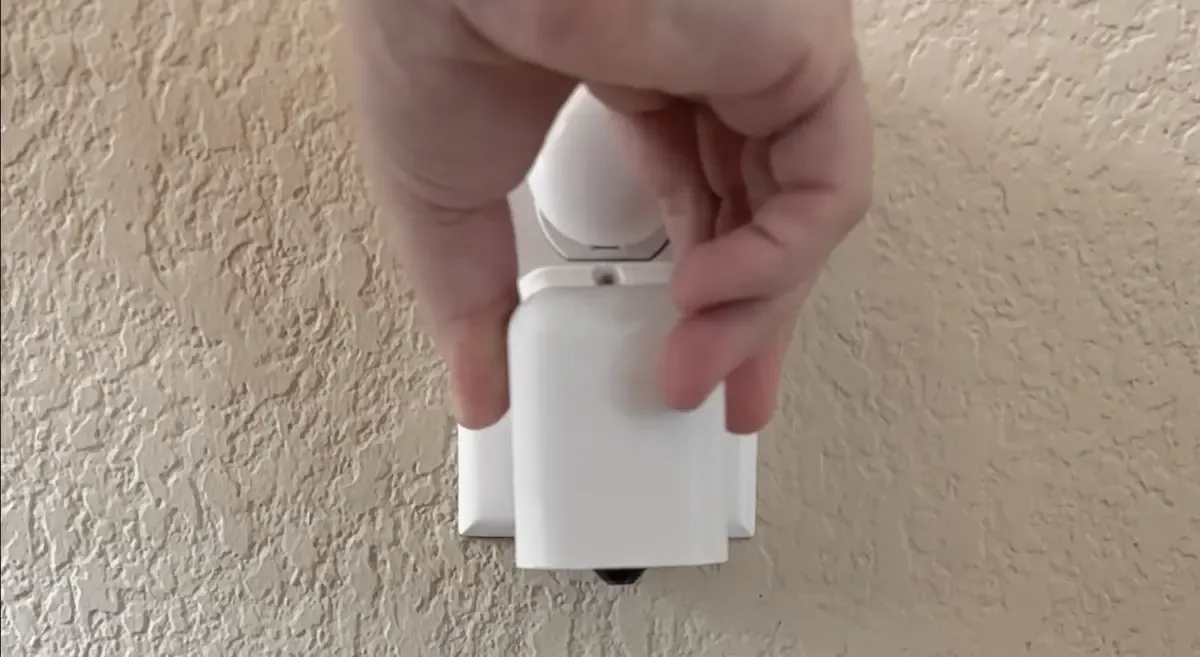
- Plug in a Detector. Choose a wall outlet near a priority area and plug the Detector in with the black side pointing down. Give it about a minute to power up before you do anything else.
- Open your Scorpion Alert app and sign in. Use the same account you'll use to receive alerts. If this is your first Detector, install the app from the App Store or Google Play first.
- Tap Settings, then Detectors, then Setup. This launches the pairing wizard. Stay inside the app from here on — leaving mid-pairing interrupts the connection.
- Tap "Connect to my Detector" and wait for it to connect. The app joins your phone to the Detector's own temporary Wi‑Fi network for you. This takes a few seconds, and while it's connected your phone won't have internet access until setup finishes. That's expected.
- Proceed through the remaining steps on your screen. Enter your home 2.4GHz network name and password, give the Detector a name that matches where it lives, optionally assign it to a Location, then tap Save New Detector. Your phone returns to your home Wi‑Fi on its own.
- Repeat this process for each Detector, one at a time. Every Detector broadcasts its own setup network, so pairing several at once causes crossed connections and failed setups.
When a Detector finishes, it appears in your Detectors list. Firmware updates install on their own after that, so there's nothing to maintain.
Where is the Setup menu in the app?
Tap the purple Menu arrow at the bottom of the screen, then Settings → Detectors → Setup. Run setup while your phone has a solid connection rather than a weak cellular signal.
What does "Connect to my Detector" actually do?
Each Detector broadcasts a temporary Wi‑Fi network named "Scorpion Detector" during setup. Your phone has to join that network briefly so the app can hand over your home Wi‑Fi credentials. The button does that switch for you.
Let the button handle it rather than switching networks yourself in your phone's Wi‑Fi settings — on Android especially, joining manually can route the app's traffic over cellular instead of the Detector, and the next setup screen never appears. If the button does fail, the app offers a manual fallback: join "Scorpion Detector" from your Wi‑Fi list, then return to the setup screen to continue.
Should I use the child-protection screw and stabilizer ring?
Use them if you have toddlers, pets, or outlets that hold plugs loosely — they lock the Detector in place. They need an outlet with a center screw between the two sockets, so check yours first. The stabilizer ring installs with the tapered end facing away from the Detector; backward, it won't seat properly.
What if setup finishes but the Detector doesn't show up in my list?
Work through these in order:
- Pull down on the Detectors list to refresh it.
- Confirm your phone has returned to your home Wi‑Fi network.
- Check whether the "Scorpion Detector" network is still showing in your Wi‑Fi list. If it is, setup didn't finish — rejoin it and repeat the wizard.
If it keeps failing, move the Detector to an outlet near your router to rule out weak signal. Once it pairs there, move it back. If the original spot still won't hold a connection, a Wi‑Fi extender or mesh node usually solves it.
Where should I plug in Detectors for the best scorpion coverage?
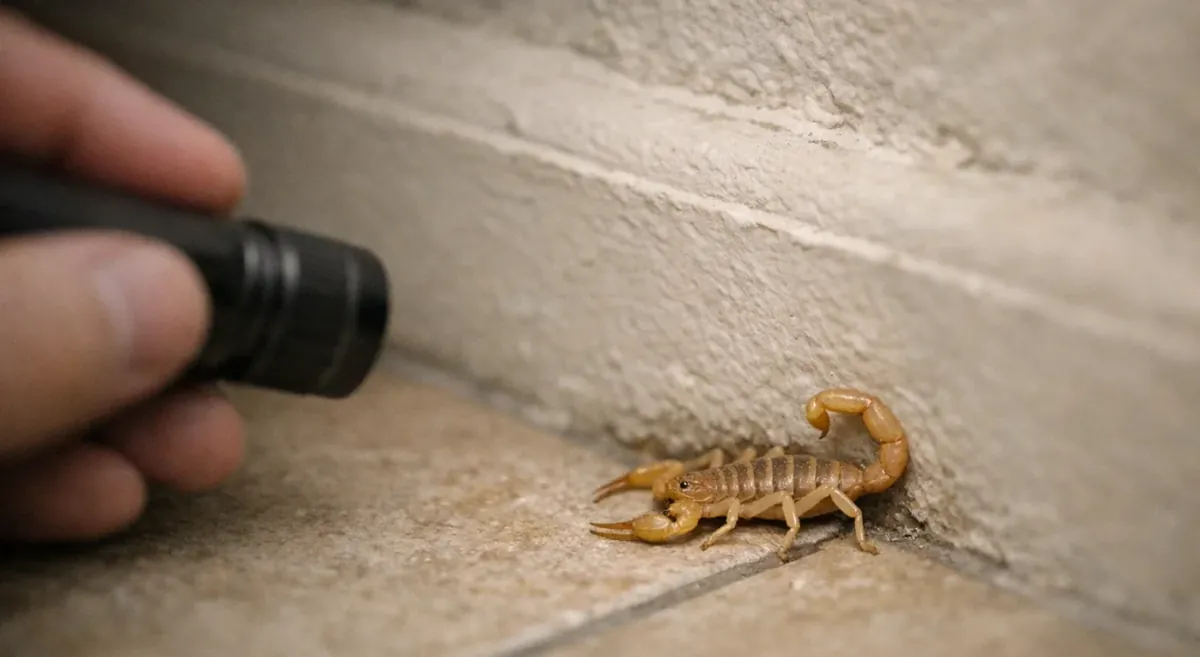
Plug Detectors into outlets along the perimeter of high-risk rooms, prioritizing entry transitions, sleeping areas, and water-adjacent rooms. Scorpions are thigmotactic — they hug walls and baseboards as they explore at night. Outlets sit right on that path.
A scorpion slipping under the patio door at 11 p.m. doesn't cross the open floor; it follows the wall, and that's where your Detector is watching. For more on how they get inside, see our guide to the top 5 ways scorpions get into your home.
Which rooms should I prioritize first?
Work in three passes. First, exterior transitions — garage, patio, and pet-door areas where scorpions come in. Second, bedrooms, nurseries, and playrooms. Third, bathrooms and laundry rooms, where moisture draws them.
Install one or two Detectors, confirm they're covering the right spots and sending alerts, then add more. A phased rollout produces better placement decisions than doing the whole house at once.
Why use the lower outlet?
The lower outlet gives the Detector's UV light and camera a clean, unobstructed view of the floor directly below — exactly where scorpions travel. If you're using the child-protection screw, a lower-outlet Detector is also harder for small hands to reach.
What placement mistakes reduce detection quality?
- Blocking the floor view. Couches, laundry baskets, and shoe racks pushed flush against the outlet hide the floor. Leave a clear window underneath.
- Too much light at night. Detectors scan only in the dark, so a bedside lamp or bright night light left on will pause detection.
- Ignoring Wi‑Fi strength. Use the in-app signal indicator to confirm your final outlet holds a strong enough connection.
How many Detectors do most homes need?
Most homes do well with 3 to 5, placed strategically rather than one in every outlet. A rough heuristic: 1 Detector for a single problem doorway, 3 for a small single-story home, and 5 or more for larger homes, attached garages, or places with recurring sightings. You can always add more later as you learn where activity shows up.
How do I confirm my Detector is working and alerts will wake me up?
A working Detector passes three checks: it scans at night when the room is dark, you can view its live feed when your phone is on the same Wi‑Fi, and a test alert reaches your phone. Run all three.
If the UV light is off during the day, nothing is wrong — Detectors only scan once the room is dark enough. To make sure an alert actually wakes you:
- Set a loud, distinct custom alert sound
- Allow Scorpion Alert through your phone's Sleep, Focus, or Do Not Disturb modes
- Enable SMS alerts as a backup to push notifications
When do Detectors scan, and when do they pause?
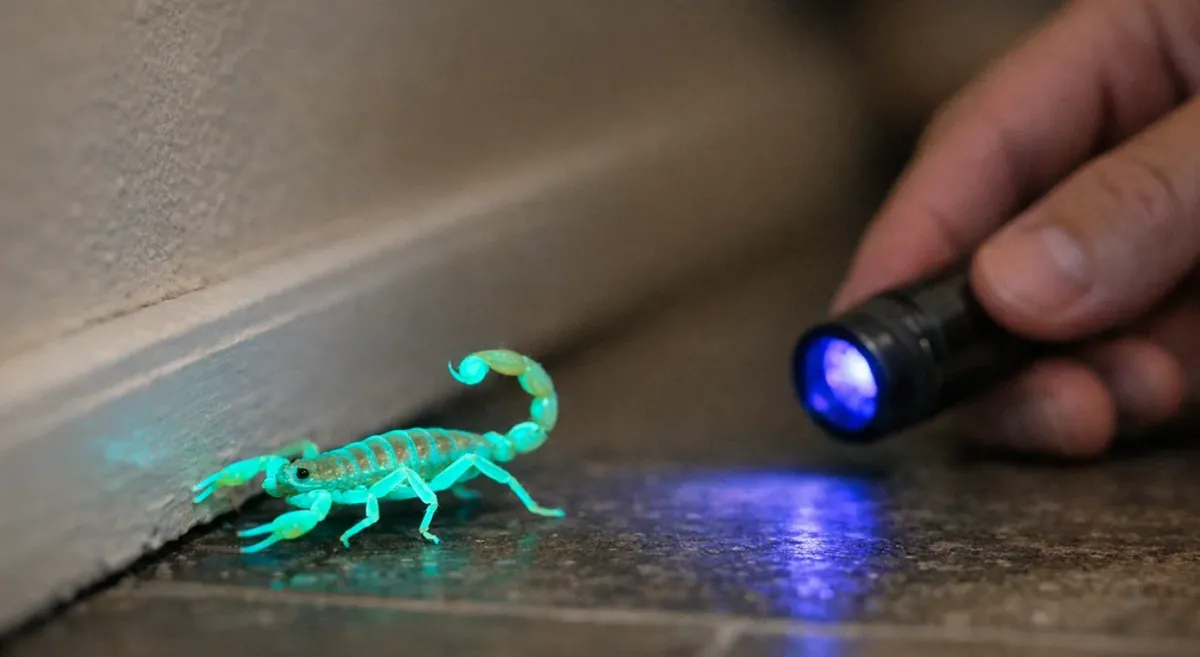
Detectors scan only when the room is dark enough. In dark mode the 365nm UV light turns on and the Detector analyzes frames every 500 milliseconds, watching for the greenish glow a scorpion gives off under UV. In a lit room, scanning pauses. That matches scorpion behavior — they're nocturnal, so your Detectors work when the risk is highest.
How do I send a test alert?
Open the Detector's settings and tap "Send Test Alert." It fires both a push notification and an SMS if you've enabled text alerts, and should arrive within seconds. If it doesn't, check your phone's notification permissions for Scorpion Alert and confirm your in-app alert toggles are on.
How do I allow alerts during Sleep, Focus, or Do Not Disturb?
On iPhone, enable notifications for Scorpion Alert in Settings, then open your Sleep or Focus mode, go to Allowed Notifications, and add Scorpion Alert so it breaks through.
On Android, enable app notifications for Scorpion Alert, then open Do Not Disturb settings and allow it as an exception. Android also lets you fine-tune sound and vibration through the app's notification channels.
Why do my Detectors say "Offline" when I'm away from home?
Live status and the live feed need your phone on the same Wi‑Fi network as the Detector. On cellular or a different network, the app can't reach it directly, so it reads Offline.
Alerts still work from anywhere. Detection notifications route through the cloud, so you'll get a scorpion alert whether you're at work, on the road, or across the country.
What should I do if setup or monitoring isn't working?
Work in the order most likely to fix it: check power, confirm you're on 2.4GHz, verify your phone's network, test signal strength, restart or power cycle the Detector, then contact support.
The Detector won't connect to Wi‑Fi
Start with the band — confirm you're giving it a 2.4GHz network name. If you only see a 5GHz option, split your bands or use an IoT or guest network, then rerun setup.
If it still won't connect, move the Detector to an outlet near the router to test signal. Works there but not in the original spot? That outlet needs better coverage. And if the "Scorpion Detector" network is still broadcasting, your last attempt didn't finish — rejoin it and repeat the wizard.
The Detector is online but I'm not getting alerts
- In the app, confirm your push and SMS toggles are on, then tap "Send Test Alert."
- In your phone's settings, make sure Scorpion Alert can notify you during Sleep, Focus, or Do Not Disturb, and that its alert sound isn't set to none.
- Check the room. Detectors scan only in dark mode, so if it stays lit all night, detection pauses and no alert can fire.
I'm getting too many false alerts — can I change sensitivity?
Yes. The confidence threshold sets how sure the Detector must be before alerting: Low is 50%, Medium (the default) is 60%, and High is 70%. Raising it reduces false positives. Change it one step at a time and watch a few nights before adjusting again — set it too high and a genuine but partial glow can get filtered out. If a false alert leaves you unsure what to do, our guide on what not to do after spotting a scorpion is worth a read.
When should I restart, power cycle, or contact support?
For a stuck Detector, restart it from the app while your phone is on the same Wi‑Fi, or unplug it for 30 seconds and plug it back in. That clears most temporary glitches.
Scorpion Alert also watches for silent Detectors. If one hasn't checked in for an hour or more you'll get an offline notification — but those only send between 7 a.m. and 9 p.m., so a connectivity blip never wakes you at 3 a.m. Scorpion alerts themselves always come through, day or night.
If failures keep happening after these steps, email support@scorpionalert.com for help or replacement guidance. Once your Detectors are set and scanning, our month-by-month scorpion season guide for Arizona and our roundup of the top things that attract scorpions in your home are the natural next reads.
Scorpion Alert rents Detectors as part of a simple monthly monitoring subscription — hardware included, no long-term contract. Detectors plug into standard outlets, scan the floor with UV light after dark, and send an alert to your phone within seconds of spotting a scorpion. See current rates and get started on the Scorpion Alert pricing page, and cancel any time by emailing support and returning the Detectors.