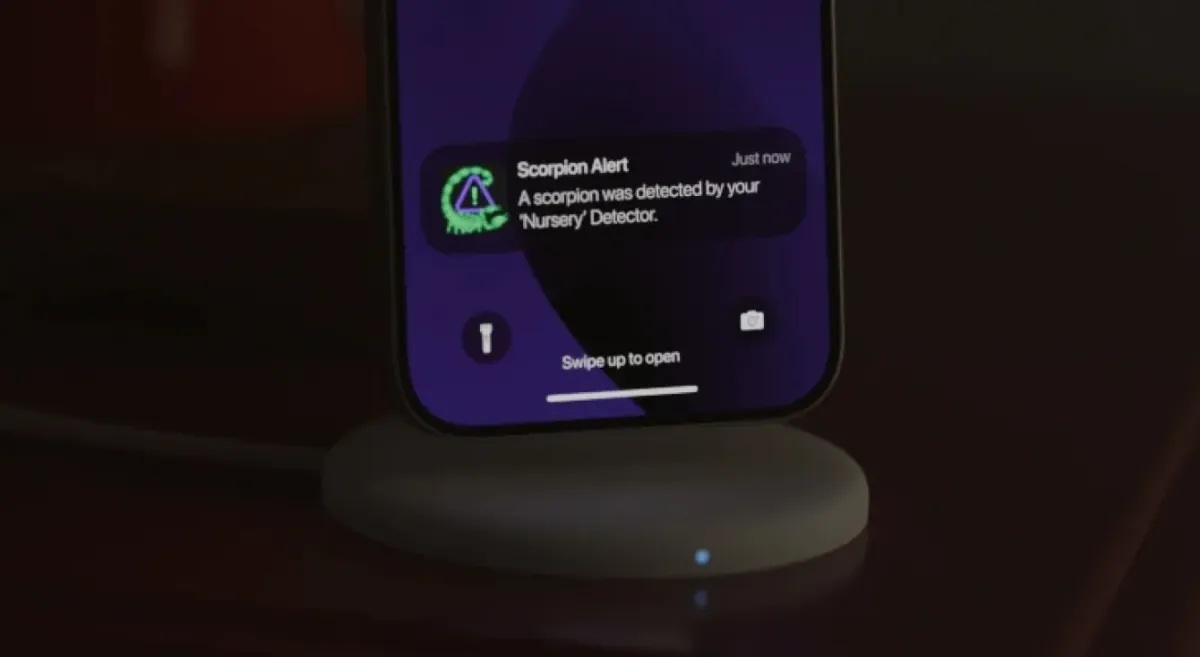
I got a Scorpion Alert—does that mean a scorpion is in my house right now?
Yes—most likely. A Scorpion Alert means a specific Detector spotted something scorpion-like in a specific spot in your home moments ago. It's not a vague "activity" warning. The alert names the room, timestamps the detection, and includes a photo plus an AI confidence percentage so you can see what triggered it before you move.
These alerts are built to be trustworthy. Every detection runs through a two-stage pipeline: the Detector first flags a likely scorpion glow on the device itself, then the cloud confirms it before your phone ever buzzes. That design keeps false alarms low while still reaching you in seconds.
You'll also notice alerts cluster after dark. That's intentional—Detectors scan only when a room is dark enough, and they pause in bright light. That schedule lines up with when scorpions are actually on the move.
Is this a false alarm or a verified detection?
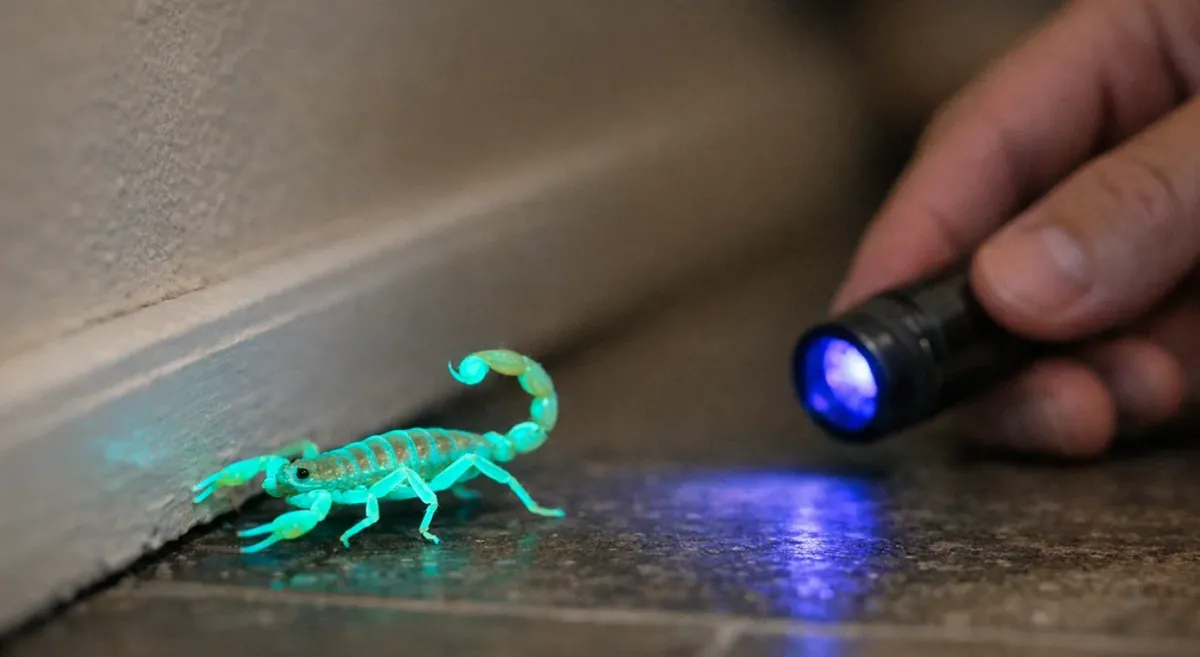
A Scorpion Alert is photo-verified, which means you don't just get a ping—you get an image of what set it off, plus a confidence score showing how sure the system is. You can glance at the photo and often confirm the shape and telltale greenish UV glow in a second or two.
The two-stage detection is what filters out the noise. First, the Detector's on-board check flags a possible glow. Then the frame goes to the cloud for a second opinion before an alert is sent. A random reflection rarely survives both checks, so what lands on your phone is usually the real thing.
Why do scorpion alerts usually happen at night?
Scorpions are nocturnal, and so is your monitoring. Detectors run in dark mode—UV on, scanning active—and pause when lights are on. Peak sting hours run from 6 PM to midnight, accounting for nearly half of envenomations, according to Klotz 2021 and related toxicology data.
If you're asleep, the house is dark, and a scorpion drifts along your baseboard toward the bathroom, that's exactly the window your Detector is watching. A nighttime alert is often your best chance to act before it slips out of sight.
What will my Scorpion Alert show me, and how do I use it to search fast?
Your Scorpion Alert includes four things: the Detector name and location, a timestamp, a photo of what triggered it, and an AI confidence percentage. Read them in that order. Location tells you which room to enter, the timestamp tells you how fresh the sighting is, and the photo helps confirm it's really a scorpion.
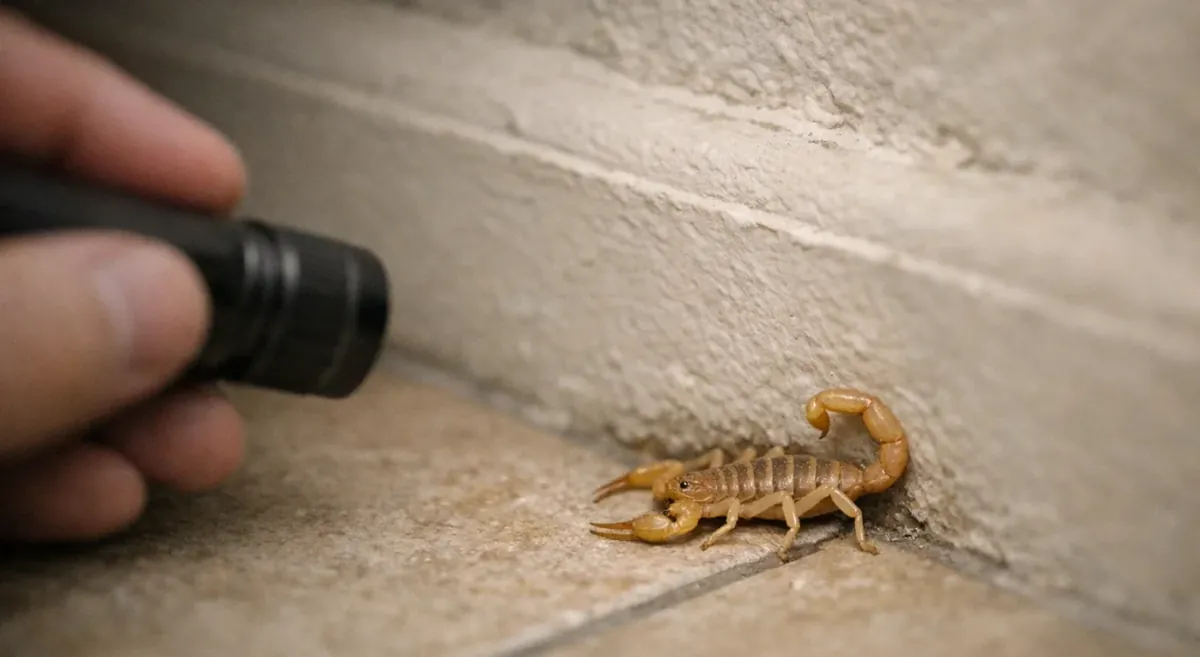
Search smarter, not wider. Scorpions are thigmotactic—they hug walls and edges as they travel. Start at the baseboard nearest the Detector that fired, then trace the perimeter in the direction it seemed to be heading. Don't start by wandering into the middle of the room.
- Turn on both push and SMS alerts so no notification slips past.
- Allow Scorpion Alert through your phone's Sleep, Focus, or Do Not Disturb settings.
- Set a distinct alert sound so a scorpion ping stands out from every other buzz.
How do I use the photo and confidence percentage?
Use the photo to confirm the curved body and glowing outline, then use location to triage urgency. A high-confidence detection in a nursery or bedroom deserves an immediate response; the same alert in the garage can wait a few minutes while you grab shoes and tools. The confidence threshold is adjustable later—more on that near the end.
Can I check what the Detector sees right now?
Yes. The live feed lets you check the Detector's current view as a real-time verification step. It requires your phone to be on the same Wi-Fi network as the Detector, so it works best when you're home. Simple decision rule: if the scorpion is still visible on the feed, go straight to that spot. If it's gone, switch to containment and a perimeter search instead.
What if I'm away—can someone else see the alert too?
Set up shared access so a partner or roommate gets the same alerts you do. When you're traveling or asleep, someone else can respond—which matters most for families with kids. Because alerts can be delivered by push and SMS, your household has built-in redundancy: if one phone misses it, another catches it.
What should I do in the first 5 minutes after a Scorpion Alert?
Work through a calm four-part plan: contain the room, put on closed-toe shoes, gather your tools, and run a targeted search from the last-known spot. Keep kids and pets out until the room is clear, and keep your hands off the floor. You then have three response paths, so you're not forced into a scary choice.
Step 1: How do I make the area safe for kids and pets?
Isolate the room first. Follow these steps in order:
- Close the door or block the doorway to stop the scorpion from wandering and to keep kids and pets out.
- End all barefoot traffic in that room—the foot is the single most-stung body part, and 81.9% of foot stings happen to bare feet, per the Skolnik & Ewald 2018 FEARS survey.
- Check high-risk items before anyone touches them: shoes by the door, towels on the floor, and bedding near walls.
If children live in the home, it's worth understanding why kids are more at risk from scorpion stings before you decide how fast to act.
Option A: Can I safely hunt it down right away?
Yes, if you're calm and equipped. Grab three things: a UV flashlight, long tongs or a grabber, and a wide-mouth glass or jar plus a stiff card. Controlled capture is the least chaotic method—place the glass over the scorpion, slide the card underneath, then flip and carry it outside. Never swat at it barefoot or reach in with your fingers.
Option B: What if I'm not ready to chase a scorpion tonight?
That's fine. If the room can be sealed off, containment overnight is a perfectly acceptable choice. Shut the door, block the gap underneath with a towel, and search in daylight. Until you've swept the room with UV, don't reach into piles, shoes, or laundry in there. Before you do anything rash, it helps to know what not to do after spotting a scorpion in your home.
Option C: Should I set a trap and keep monitoring?
Traps work best as a targeted backup, not your main solution. Place sticky traps along the baseboards on the scorpion's likely travel route, then let your Detector keep watching. If it surfaces again, the next alert narrows its location even further—and that's often what finally lets you find it.
What if I can't find the scorpion—or it disappeared before I got there?
Don't panic—shift to a "contain and narrow" plan. Keep the room isolated, use the last-known Detector location as your anchor, and run a perimeter search from there. Scorpions vanish fast because they slip into tiny cracks along edges and thresholds. If a sting happens at any point, treat that as the moment to prioritize first aid and, if needed, a pest professional.
Where should I search first if it's gone?
Start at the exact wall or baseboard where the Detector saw it. Then run a quick perimeter sweep: move clockwise around the room edges with your UV flashlight, checking corners, thresholds, and any clutter against the walls. If nothing turns up, expand to the next doorway and repeat. Scorpions rarely cross open floor—stay on the edges.
If I'm not home, what's the safest remote plan?
Text or call whoever is home with a short, clear script: Close the door to that room. Put shoes on. Keep the kids and pets out. Set a sticky trap along the baseboards. Wait for the next alert. Make sure that on-site person has SMS alerts turned on, so they get the next detection directly. If someone does get stung while you sort this out, follow bark scorpion sting first aid for the first 30 minutes.
Do I need a scorpion detector, and how do I get better alerts next time?
A scorpion detector is a device that monitors your home's perimeter with UV light and sends photo-verified, AI-confirmed alerts when it spots a scorpion. It beats occasional blacklight walks because it watches every night automatically—you're not stuck patrolling the house with a flashlight, and you won't first learn a scorpion is inside by stepping on it. Knowing what to do when you get a Scorpion Alert is only half the equation; having the right coverage in place is the other half.
The stakes are real in the Southwest. In US poison-center data, 68.2% of all scorpion exposures came from Arizona alone, according to Kang & Brooks 2017—with thousands more each year in Texas and Nevada.
What is a scorpion detector (and how does Scorpion Alert detect scorpions)?
Scorpions fluoresce—their exoskeleton glows a bright greenish color under ultraviolet light. Scorpion Alert Detectors shine 365nm UV onto the floor below, the wavelength that produces the strongest glow, and it isn't noticeable to most people or disruptive to sleep. The detection loop is simple: UV switches on in a dark room, the Detector captures frames every 500 milliseconds (twice a second), an on-device check flags a likely scorpion, the cloud confirms it, and then you get an alert with a photo and confidence score.
How many Detectors should I use, and where should they go?
Aim for whole-property coverage, not a single room. Many homes do well with three to five Detectors placed at entry points and in high-priority rooms like bedrooms, bathrooms, and the laundry room. Because scorpions travel along walls, position each Detector on a room's perimeter outlet. For deeper prevention, see the top ways scorpions get into your home and the top things that attract scorpions indoors.
Which settings help reduce false alarms but still catch real scorpions?
The confidence threshold controls how strict the system is before it alerts you. Choose the level that fits your home.
| Threshold | Confidence | Best for |
|---|
| Low | 50% | You suspect detections are being missed |
| Medium (default) | 60% | Balanced everyday use |
| High | 70% | Cutting down on false positives |
Raise the threshold to reduce false alarms; lower it if you think real scorpions are slipping by. Then run the "don't miss it" checklist: enable push and SMS, set a custom alert sound, and send a test alert to confirm everything reaches your phone. And remember, effective monitoring beats chasing myths—here's the truth about common scorpion repellent myths.
Why does my scorpion detector show 'offline' (and is it still protecting me)?
An "offline" status usually just means your phone isn't on the same Wi-Fi network as the Detector. Live status and the live feed are local features—but detection alerts still reach you from anywhere through the cloud, so you're not unprotected. Detectors require a 2.4GHz Wi-Fi network, not 5GHz.
If a Detector truly seems down, run the quick fixes: confirm it's getting power, check the Wi-Fi signal at that outlet, and make sure it's joined to your 2.4GHz band. If a Detector genuinely can't be reached for an hour or more, you'll get an offline notification during daytime hours—that way only real scorpion alerts wake you at night.
When you get a scorpion alert, a calm routine—grab a UV light, head to the detector, and carefully contain the scorpion—can turn a stressful moment into a quick, safe response. If you want an extra layer of confidence that you’ll know where to start looking right away, learn how Scorpion Alert can help you catch problems early.